Redesigning my Website with an AI Partner: What a Joy
It’s been a long time since I wanted to redesign my website. I wanted it to feel like mine, but I kept postponing it.
The problem wasn’t a lack of ideas. It was a mix of time, priorities, and to be honest, motivation. I’ve never been comfortable with the plumbing of CSS and JavaScript, and I didn’t want to spend my limited time mastering frontend development just to tweak a personal blog.
Then, everything changed. With a little help from my AI friend, I finally did it!
From Customization Pain to Creative Flow
When I started this blog, I wanted something minimal and functional.
My non-negotiables were simple:
- Write in Markdown
- Use a static site generator
- Keep the design clean and content-first
I care about design, but I never loved building design systems from scratch.
So I picked an open theme close to my taste: Minimal Mistakes1 on Jekyll. Great theme, and it served me well.
Still, I had that constant itch:
- Tiny visual tweaks to make things more subtle
- Features I wanted, like sidenotes and dark/light mode
- Better control over the overall feel of the site
I tried to DIY these changes a few times, but I didn’t put my heart into it. My lack of CSS depth led to frustrating bugs, and I’d usually give up before I made any real progress.
The LLM Journey: From Frustration to Joy
When LLMs first arrived, rebuilding this site was the first project I revisited.
My goal was simple.
- Migrate to Hugo as a faster static site generator
- Build a custom, bare-minimum theme
- Add a few modern UX features (dark/light mode, sidenotes, etc.)
The First Waves: The Disappointment
If you tried building complex UI stuff with AI a year ago, you know the struggle.
I’d describe a feature, and the model would get stuck in an infinite loop of breaking one thing to fix another.
Whether it was my prompting or the immaturity of the models, I ended up frustrated and empty-handed. I followed every “best practice”. I created elaborate plans. I uploaded screenshots. But the progress was never meaningful.
But, thankfully, I didn’t give up!
The Breakthrough: When it finally clicked
Last week, everything changed. I gave it one more shot with Codex 5.3, and the experience was… joyful. I was truly amazed.
Every single instruction just worked.
I followed a more mature workflow this time: a brainstorming session followed by a phased execution plan. The result was magic. The migration happened effortlessly, and I spent the next week in a flow state, experimenting with design tweaks I once thought were impossible for me.
The Transformation
| Feature | Previous Version | Current Version |
|---|---|---|
| Theme | Off-the-shelf template | 100% Custom & Personal |
| Speed | Standard build times | Blazing fast Hugo performance |
| Dark Mode | Manual/None | Smart toggle with image blending |
| Reading UX | Standard linear text | Sidenotes & Smart-hide header |
Before and After Screenshots
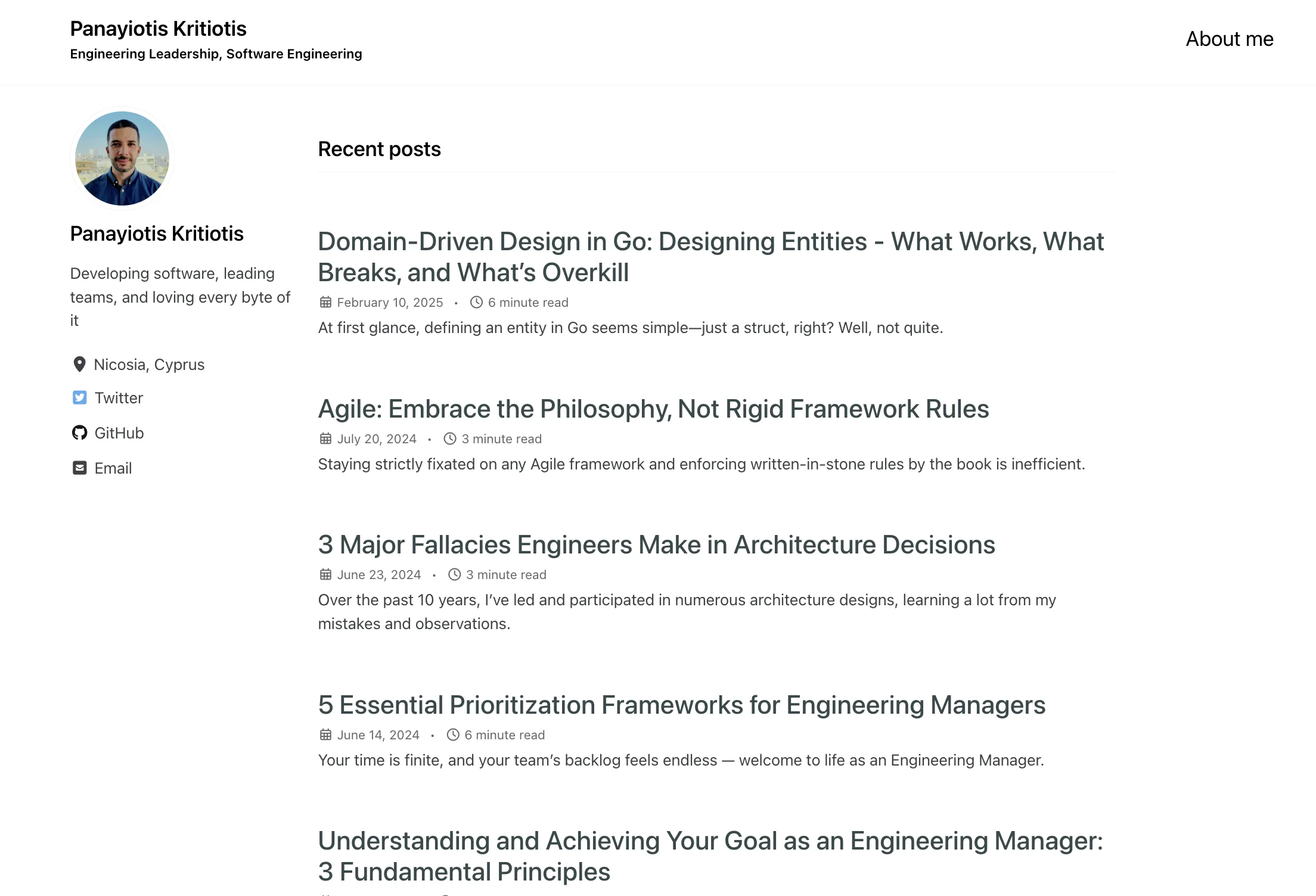
Home (Previous)
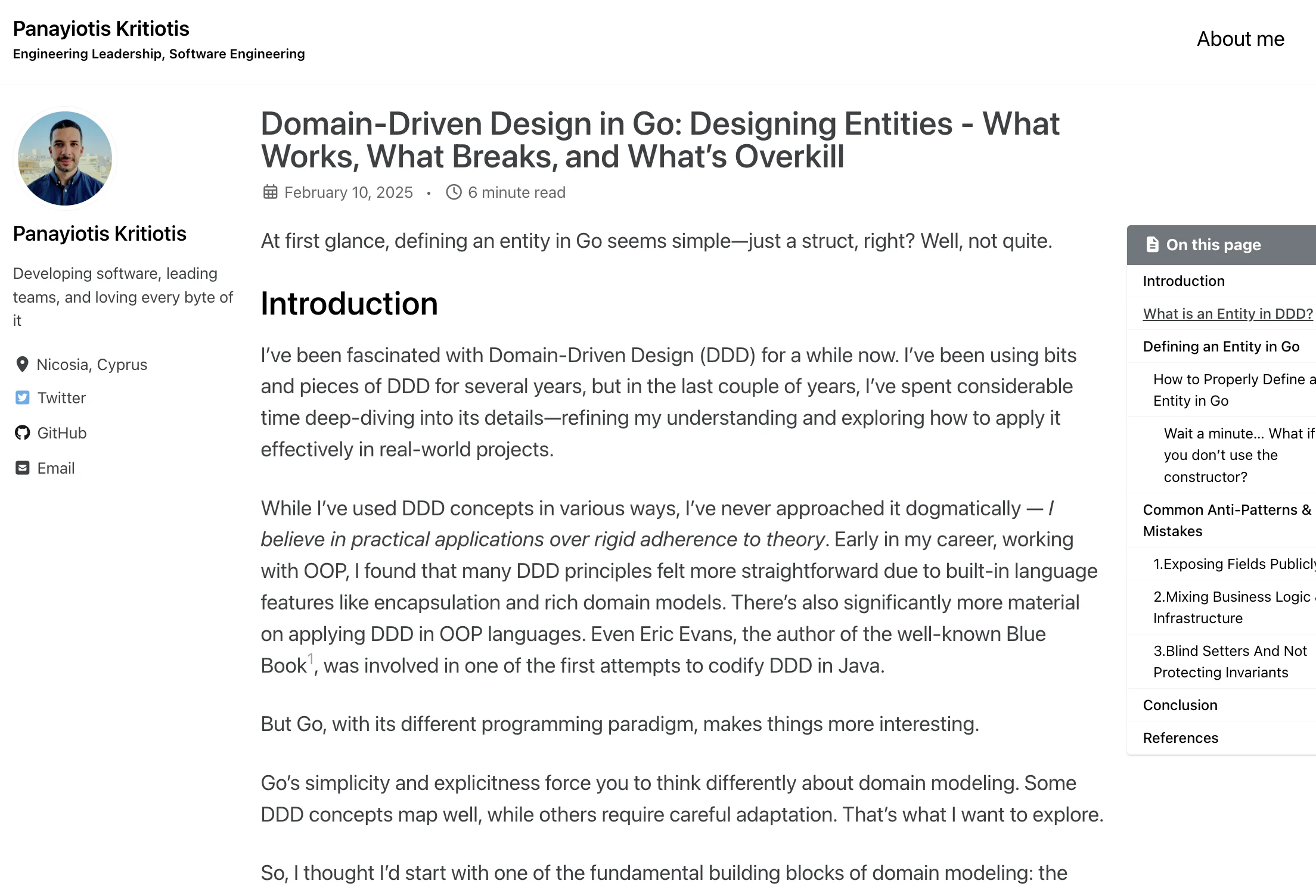
Post (Previous)
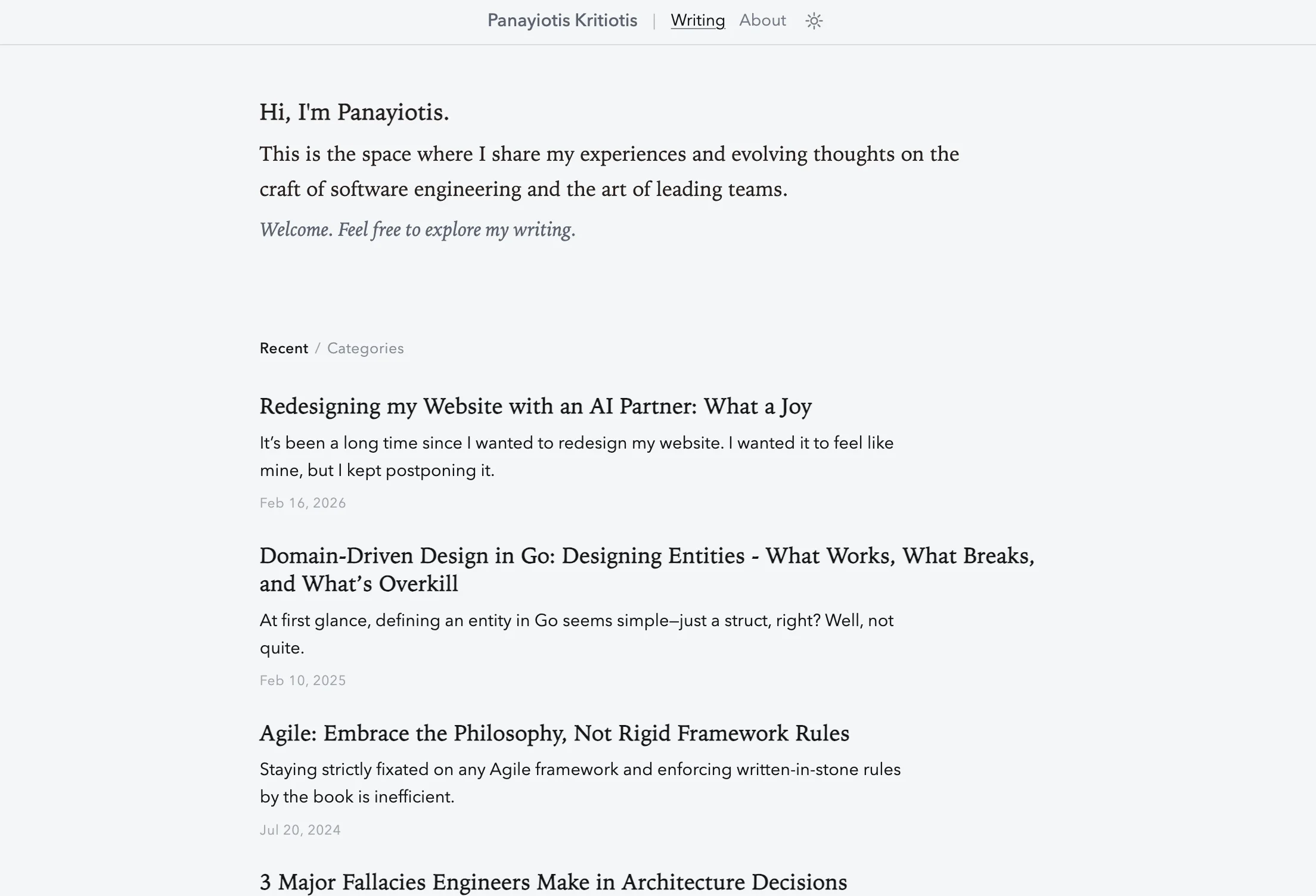
Home (Light)
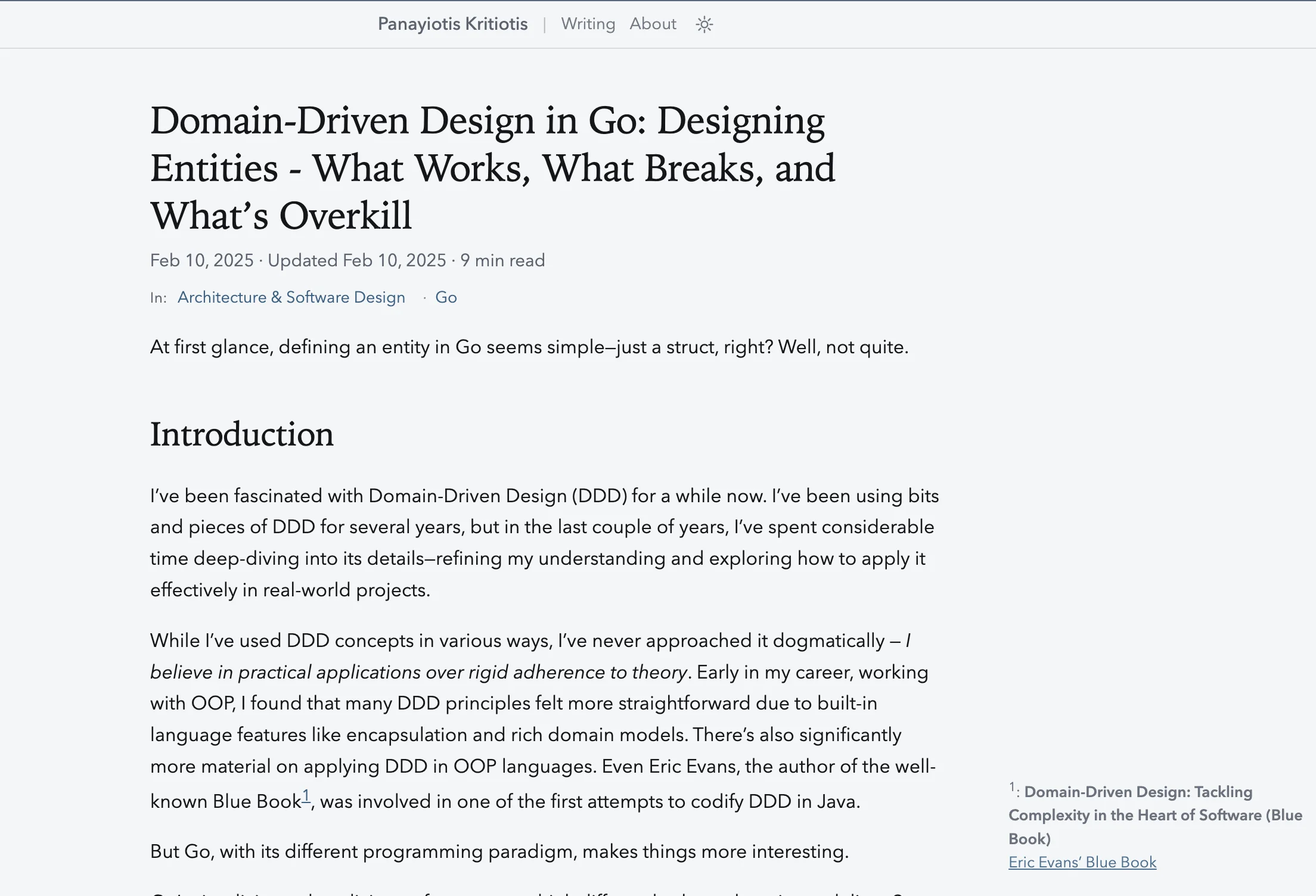
Post (Light)
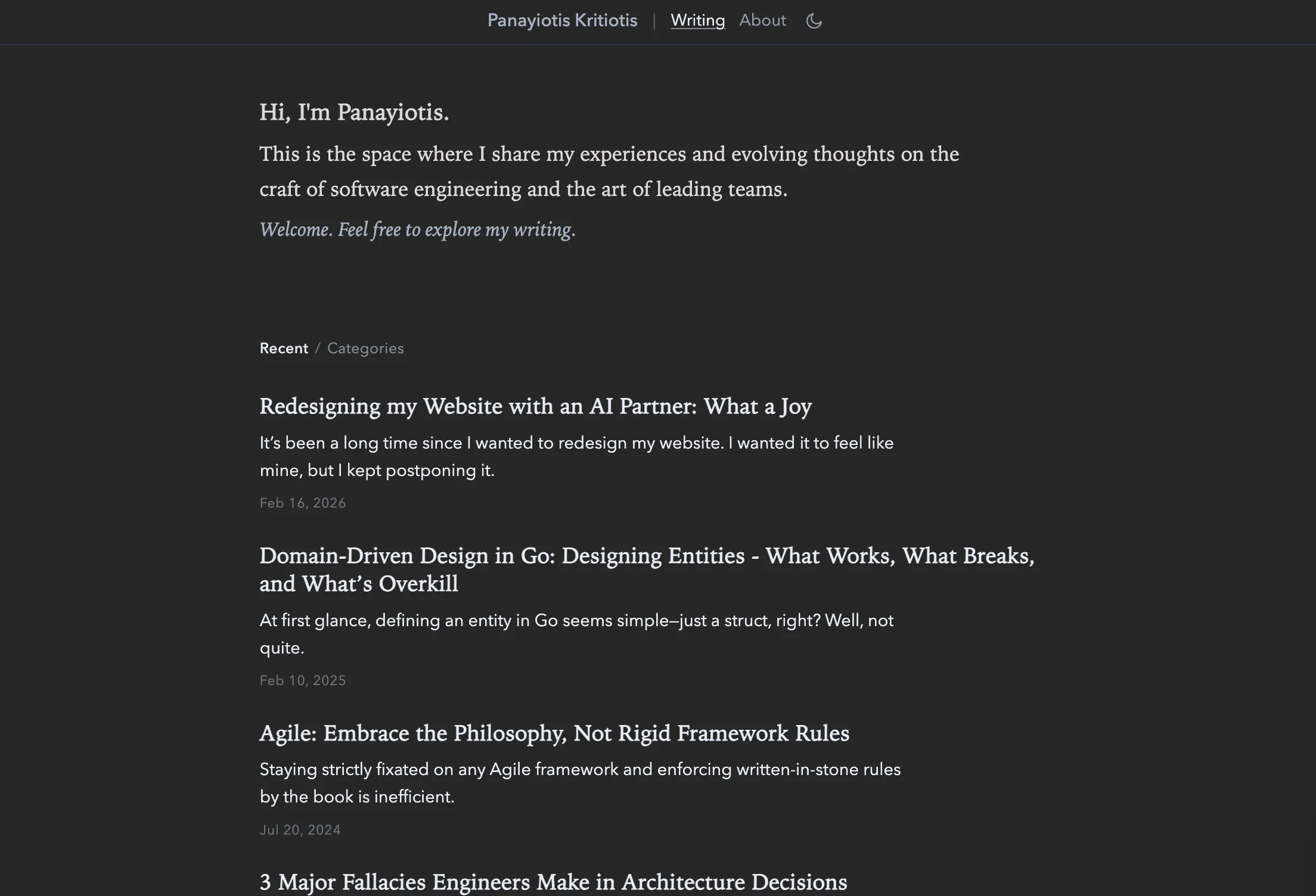
Home (Dark)
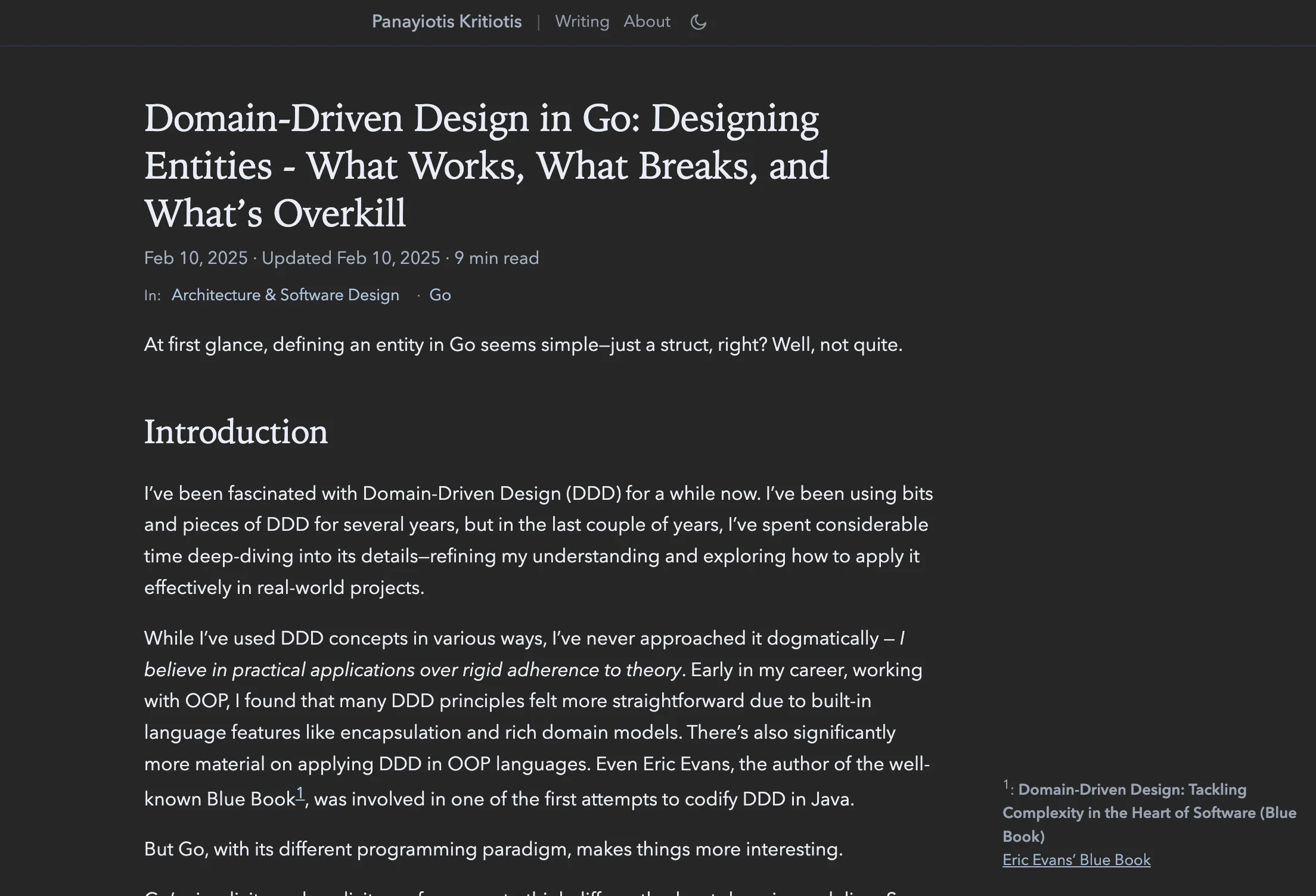
Post (Dark)
Realizations: What This Journey Taught Me
The Unknown Unknowns Discovery
The best part wasn’t just the code; it was the discovery. Through a back-and-forth dialogue with the AI, I learned things I didn’t even know to ask for.
For example, I asked:
“How do I handle light images on a dark background without manually editing every file? Is there a way to do this with CSS?”
That led me to CSS inversion and blending techniques that I didn’t know that they even existed and just work perfectly.
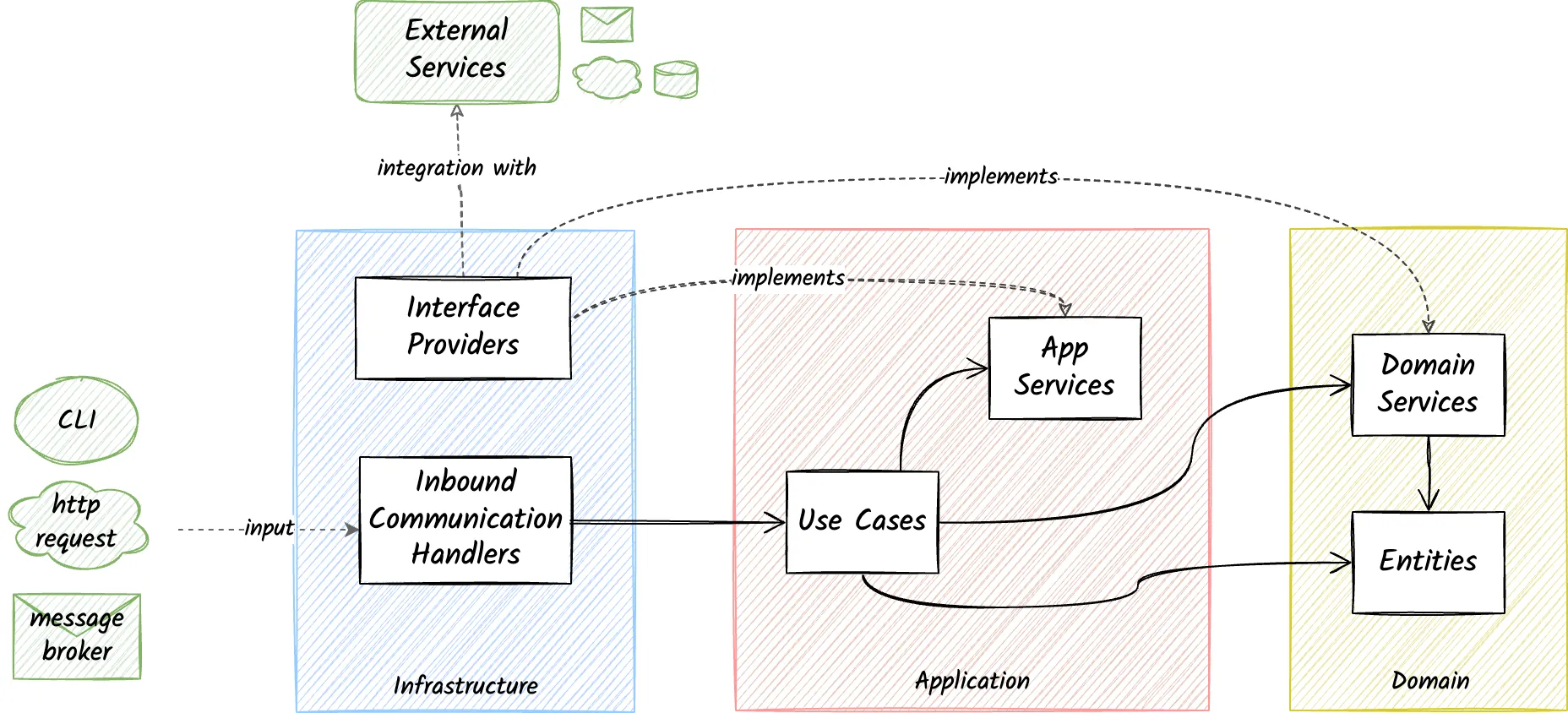
The below diagram’s image has a white background with a black text. Custom CSS makes the background disappear and the colors are inverted in dark mode.
Another question about social link placement led me to Fitts’s Law2 and the Z-Pattern principle3. The AI wasn’t just a coder; it was a design consultant.
Even if you don’t master the technology you learn a lot by shipping
I didn’t learn CSS inside out by reading a tutorial and painful trial and error—and frankly I didn’t need to.
I learned advanced capabilities at a good-enough level by building something I actually cared about. Good-enough means I understand what it did. I’m comfortable at this level.
Seeing the code work in real-time made the concepts stick in a way a tutorial never could.
The Power of “Done”: AI as an Enabler and Why Thinking Still Matters
This redesign sat in my “someday” backlog for years—a persistent itch I didn’t think I’d ever actually scratch on my own. AI-assisted coding didn’t just help me finish; it made the whole thing possible.
I can’t adequately express how impressed I am by how much these models have evolved. The level has truly skyrocketed. The speed of the feedback loop is just amazing, turning what used to be a weekend of troubleshooting into a few minutes of conversation.
But even with this tech, the “magic” only happens if you apply good old-school analytical thinking. Being methodical, communicating clearly, and asking the right questions are still the core principles for making this work. The AI handles the execution, but your own thinking is what gets you the result.
Final thought
This was one of the most joyful experiences working on a side project I have had in a while. For someone as backend-passionate as I am, that represents a huge shift.
Not because AI did everything automatically, but because it helped me move from “I should do this someday” to a finished result while learning throughout the process.
Reducing the physical distance between the source location and the next location https://en.wikipedia.org/wiki/Fitts's_law ↩︎
The Z-Pattern is a design principle that capitalises on the natural eye movement and reading behaviour of users. It’s based on the way we read in Western cultures, from left to right and top to bottom, forming a pattern that resembles the letter ‘Z’. https://www.paulmorris.org.uk/understanding-design-principles-the-z-pattern-and-f-pattern-in-website-layouts/ ↩︎